The till that keeps selling, even without internet.
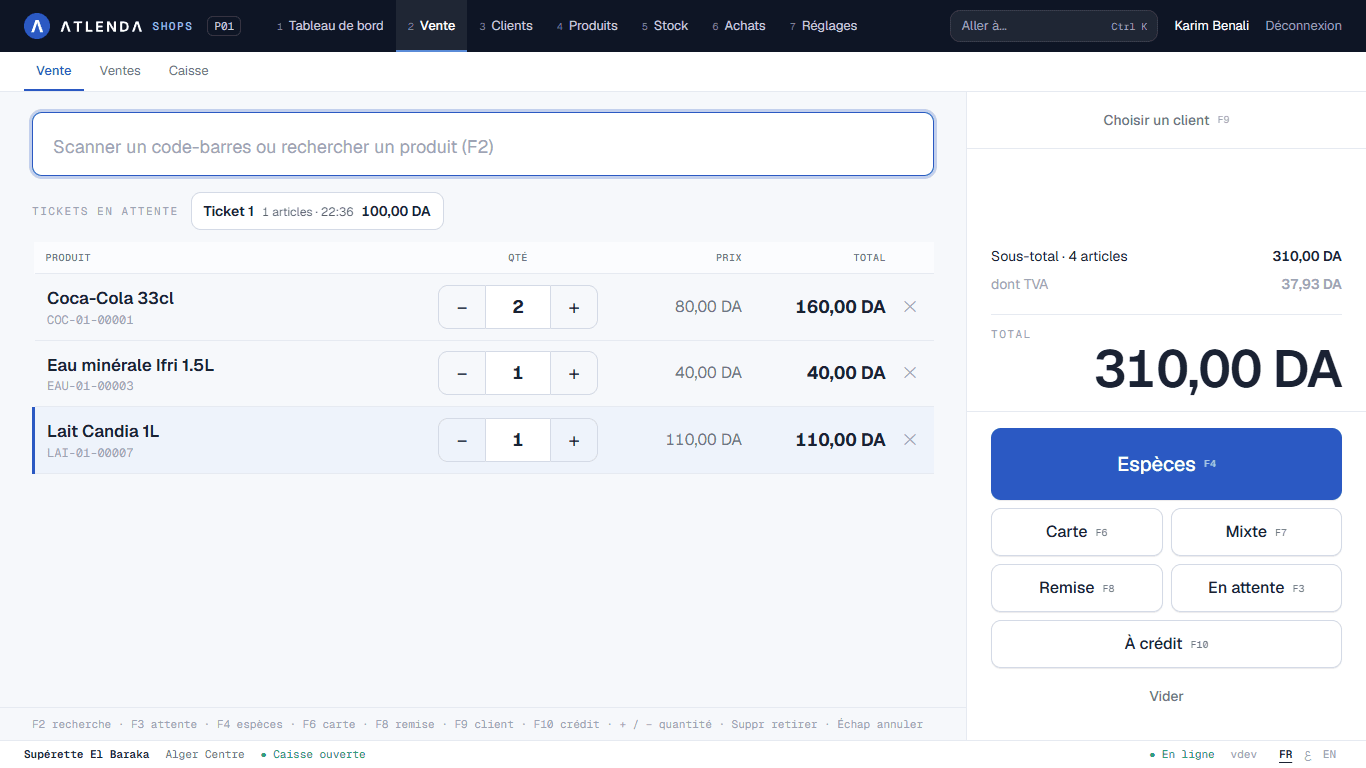
Atlenda Shops runs your counter, your stock and your customer credit on a Windows PC — online or offline — and puts your figures on your phone wherever you are.
Windows 10 / 11 · 30-day free trial · FR / AR
- Offline
- Keeps selling without internet
- FR · AR
- Printed tickets
- DZD
- Customer credit built in
- 30 days
- Free trial
Built for how Algerian shops really sell.
From the first sale of the morning to the evening count, Atlenda Shops covers the whole day — without depending on the connection.
Sell fast
Scan or search a product; take cash or split payments, and put a sale on hold to serve the next customer.
Stock by size & colour
Manage variants properly, print barcode labels and run your stocktake without closing the shop.
Customer credit & loyalty
Track each customer's kridi and repayments, reward loyal customers and run promotions.
Multiple stores & tills
Run several tills and stores from one account, and transfer stock between them.
Your figures on your phone
Sales, margins and stock from your Owner space — check your shop from anywhere.
Offline-first & secure
Everything works without internet; data is encrypted and backed up to the cloud when you're online.
Know how the day is going — without being at the counter.
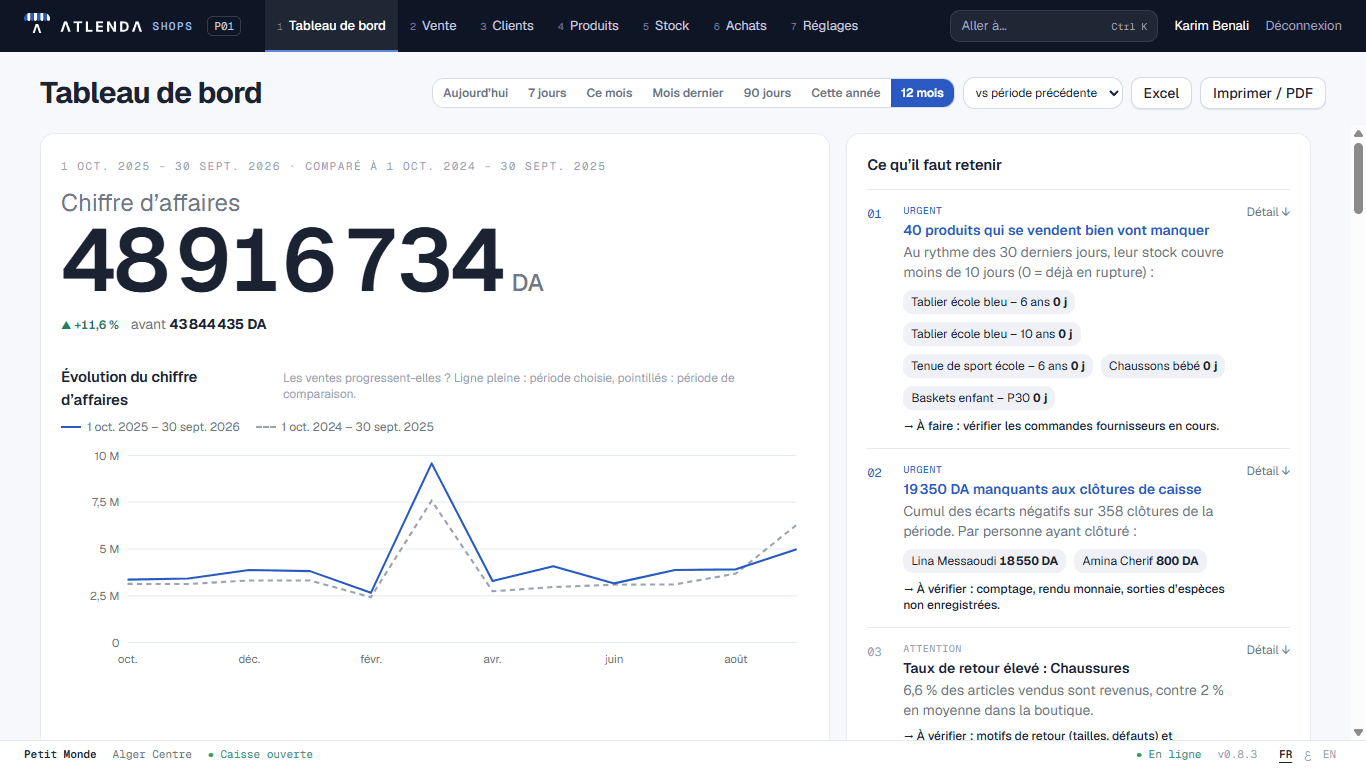
The dashboard shows today's sales, best sellers, stock alerts and outstanding customer credit. The same figures are in your Owner space on the phone.
- Sales by day, store and cashier
- Best sellers & low-stock alerts
- Outstanding customer credit
- Owner space at shops.atlenda.com/m
Up and running in 3 minutes.
No technician, no server to buy. A Windows 10 or 11 PC is all you need.
- 01
Request access
Contact us and we hand you the Atlenda Shops installer for Windows.
- 02
Install
Open the file and follow the installer — it takes about a minute.
- 03
Create your shop
Enter your shop's name, add your products and start selling. The 30-day cloud trial starts when you connect your shop to the cloud.
Seeing a Windows SmartScreen message?
Windows may show “Windows protected your PC” for new software. Click “More info”, then “Run anyway” to continue the installation.
Open your till today.
Atlenda Shops is available on request for now: get in touch and try it free for 30 days. Our team in Algiers answers in French and Arabic.
- 30-day free trial
- Windows 10 / 11
- Works offline